> ## Documentation Index
> Fetch the complete documentation index at: https://docs.business.near.com/llms.txt
> Use this file to discover all available pages before exploring further.
# Confidential Treasuries
> Manage assets and payroll without exposing your financial data
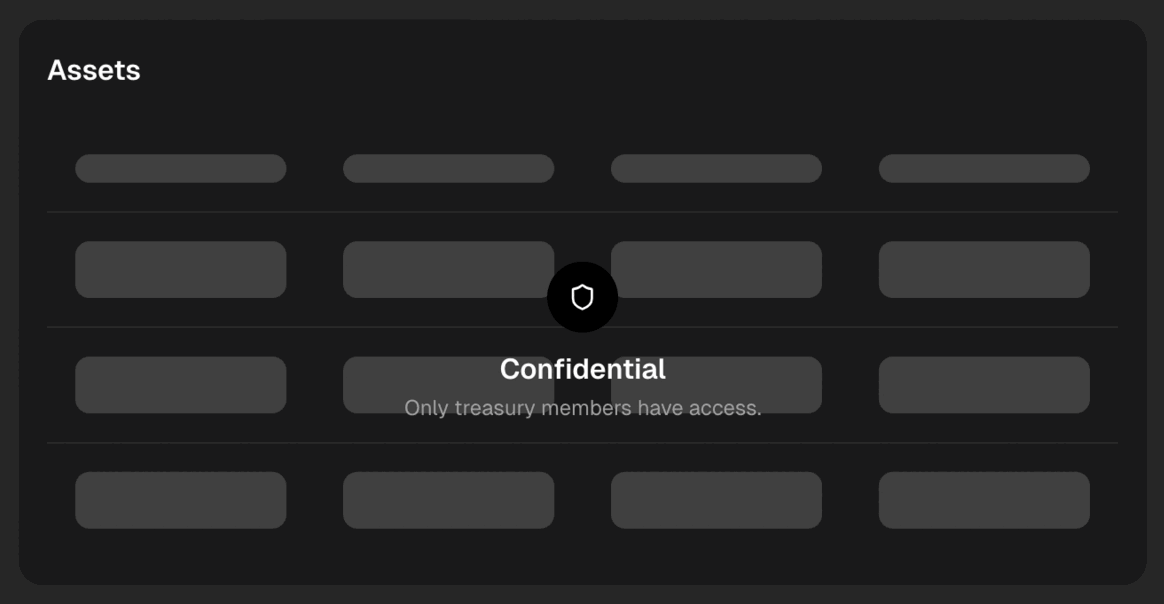
NEAR Business treasuries are **confidential**, meaning all financial data is
**visible only to team members**: all transactions and actions remain private.
 ***
## How do confidential treasuries work?
Confidential treasuries are multisig wallet smart contracts deployed on a **private shard** on NEAR Protocol. This allows us to use technology similar to that securing public treasuries in NEAR,
while keeping all financial data away from the public's eyes.
***
## How do confidential treasuries work?
Confidential treasuries are multisig wallet smart contracts deployed on a **private shard** on NEAR Protocol. This allows us to use technology similar to that securing public treasuries in NEAR,
while keeping all financial data away from the public's eyes.
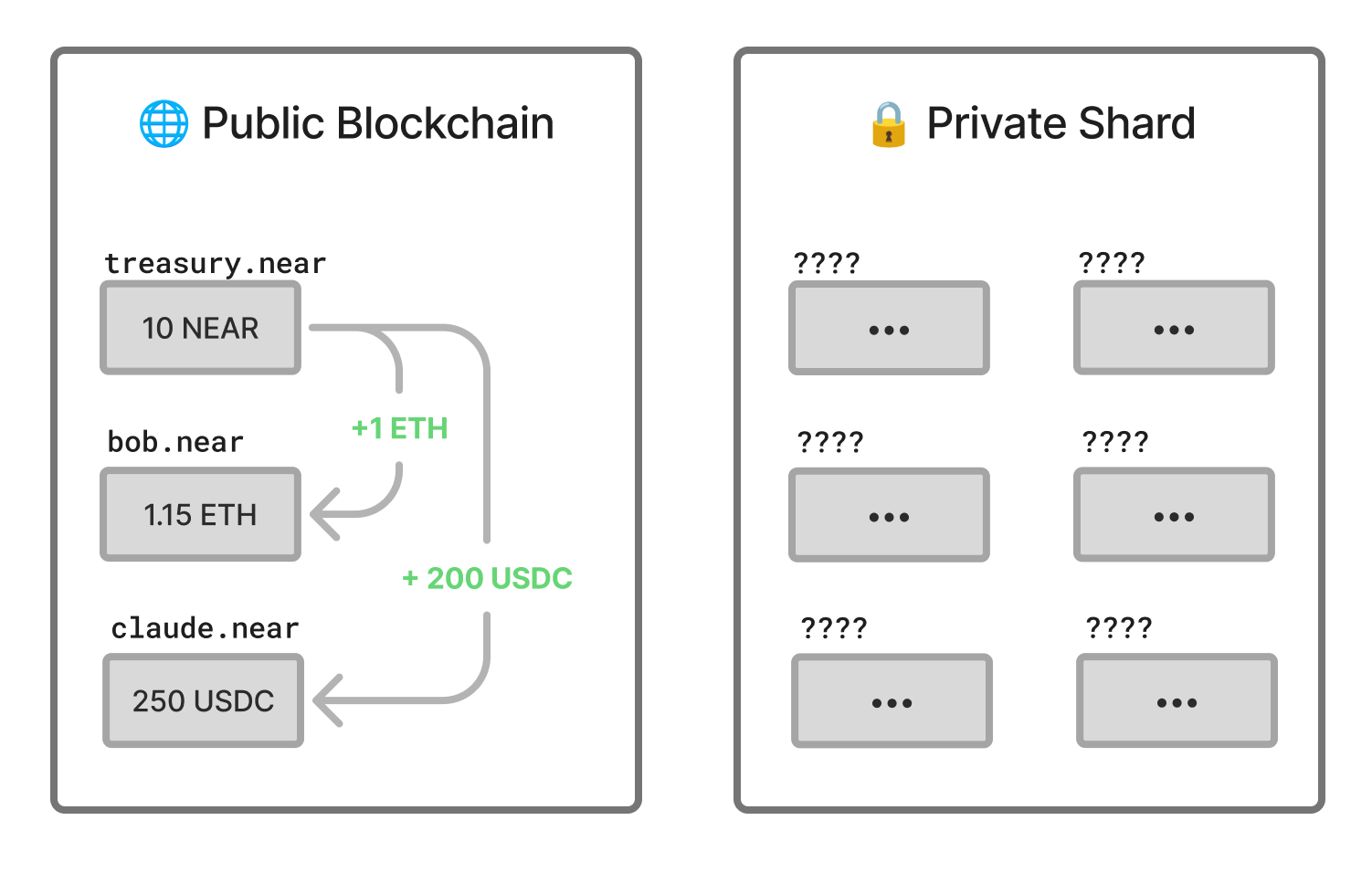 While NEAR Protocol is a single blockchain, it is actually composed of small chain instances called shards. Each shard executes in parallel, handling transactions for a set of accounts and contracts.
In NEAR, all shards are public by default, meaning that anyone can see all their transactions. However, NEAR allows having private shards, which use the same technology as the public ones, but with the main difference of **not exposing any data to the public**.
This makes private shards an ideal solution for confidential treasuries, as they provide all the security and functionality of a public shard, but with the added privacy of not exposing any financial data to the public.
***
## Deposits
Because confidential treasuries run on a private shard, funding them and paying from them requires moving funds between the private shard and public blockchains.
There are two ways to do this, depending on how your team wants to operate.
### Automatic Bridging
Your treasury can receive public funds on a temporary account and automatically bridge them to the private. This allows you to fund your treasury from any external wallet just as you would with a public treasury.
Furthermore, using a unique deposit address for each transfer makes it harder for external observers to link multiple deposits, wallets, or counterparties to the same treasury, which provides additional privacy.
While NEAR Protocol is a single blockchain, it is actually composed of small chain instances called shards. Each shard executes in parallel, handling transactions for a set of accounts and contracts.
In NEAR, all shards are public by default, meaning that anyone can see all their transactions. However, NEAR allows having private shards, which use the same technology as the public ones, but with the main difference of **not exposing any data to the public**.
This makes private shards an ideal solution for confidential treasuries, as they provide all the security and functionality of a public shard, but with the added privacy of not exposing any financial data to the public.
***
## Deposits
Because confidential treasuries run on a private shard, funding them and paying from them requires moving funds between the private shard and public blockchains.
There are two ways to do this, depending on how your team wants to operate.
### Automatic Bridging
Your treasury can receive public funds on a temporary account and automatically bridge them to the private. This allows you to fund your treasury from any external wallet just as you would with a public treasury.
Furthermore, using a unique deposit address for each transfer makes it harder for external observers to link multiple deposits, wallets, or counterparties to the same treasury, which provides additional privacy.
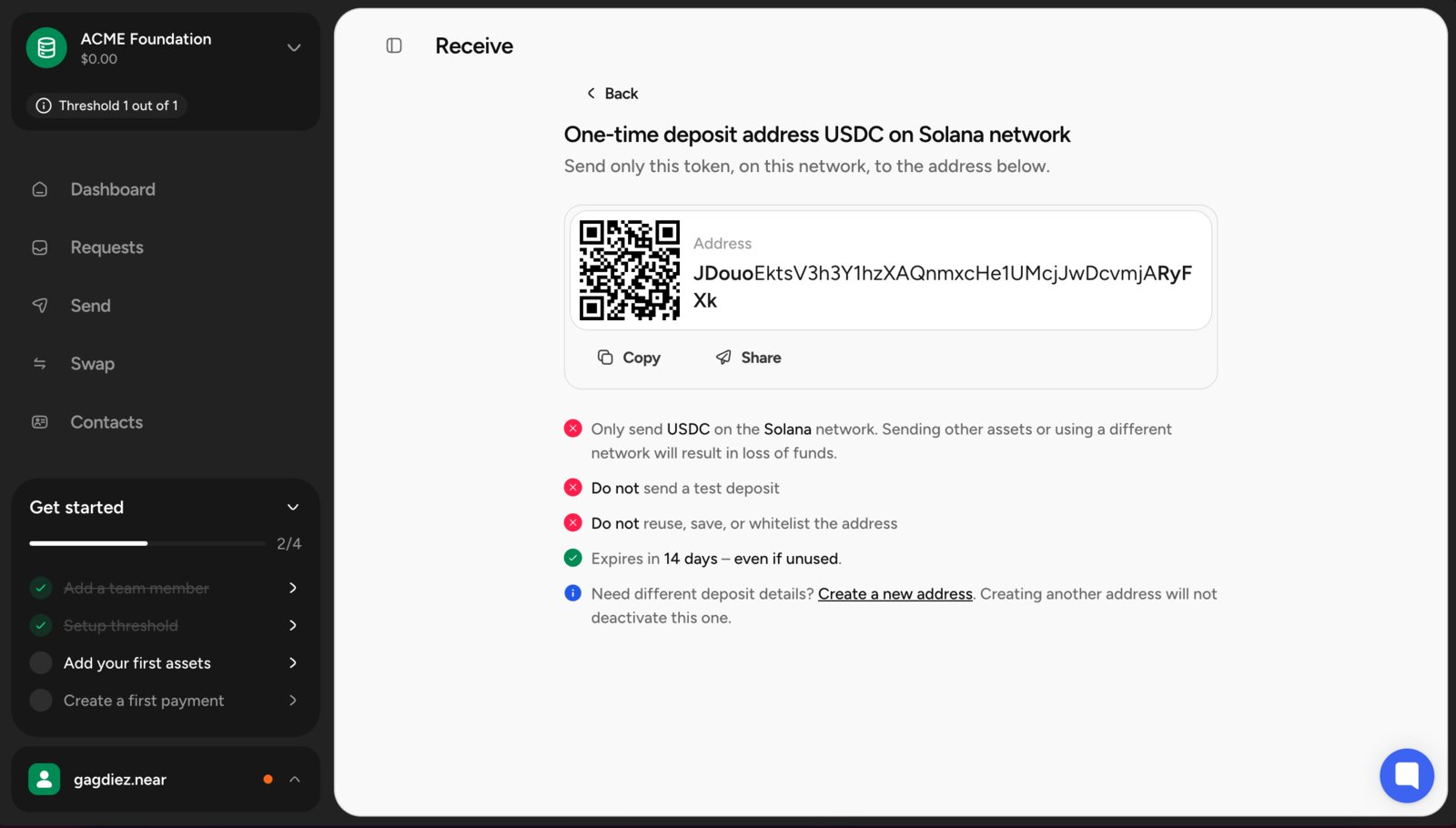 Temporary deposit addresses are single-use and remain valid for 72 hours. If the address expires, create a new one before sending funds.
### Using near.com
If your team already uses a confidential account on [near.com](https://near.com/), you can fund the treasury by transferring assets directly to the treasury account ID.
We have detailed guides on how to [**fund confidential treasuries through near.com**](/guides/funding-confidential-treasuries).
***
## Proposals
In a confidential treasury, external actors can see that a *proposal exists* and how members voted,
but **only team members can see the proposal details**.
For example, if a team member creates a proposal to pay `10 USDC` to `alice.near`, the public can see
that a proposal was created and whether it was approved or rejected, but **only team members can see**
that it was a *payment* proposal, as well as **the amount, token, and recipient**.
***
## Payments
Confidential treasuries can create payments in all supported assets, and the recipient can be **either** a **confidential [near.com](https://near.com/) account** or a **public wallet** addresses.
Payments to [near.com](https://near.com/) confidential accounts will be executed within the private shard, so the recipient will need to log in to [near.com](https://near.com/) to access and withdraw the funds.
When making payments to public wallets, NEAR Business **automatically bridges** the funds from the private shard
to the recipient's address on the selected chain. In this case, the public recipient will see the funds arriving
from the *near.com settlement account*, as that is the account used to bridge funds from the private shard to the
public one.
***
## Frequently Asked Questions
No, all treasuries created through NEAR Business are confidential.
While NEAR Protocol is a single blockchain, it is actually composed of multiple small chain instances called shards, which run in parallel. Each shard is in charge of certain accounts and smart contracts and operates in parallel, with all shards aggregating to form the NEAR blockchain.
Almost all shards on NEAR are public, which means that anyone can see all the funds and transactions happening on them. However, NEAR also allows the creation of private shards, which run on the same technology as the public ones, but with the added security of being private and encrypted.
This is how confidential treasuries work: they are deployed on their own private shard, which is not accessible to anyone outside the team, thus keeping all financial data private.
To deposit funds into a confidential treasury, you can either use [**near.com**](https://near.com/) and [fund the treasury's account](/guides/funding-confidential-treasuries) through a confidential account there, or let NEAR Business generate a temporary deposit address and bridge the funds for you.
Yes, all payments from a confidential treasury are private, as they are executed within the private shard. This means that the details of the payment, such as the amount, recipient, and token, are only visible to team members and not to the public.
Recipients of confidential payments can either [receive the funds in a near.com confidential account](/guides/confidential-payments) or receive them directly in their public wallet.
For recipients who receive payments directly in their public wallet, the sender will appear as the general NEAR Intents account.
Yes, all swaps from a confidential treasury are private, as they are executed within the private shard. This means that the details of the swap, such as the amount, tokens involved, and exchange rate, are only visible to team members and not to the public.
***
## Ready to get started?
[Create your treasury now](https://business.near.com/) and start managing your team's crypto assets securely and collaboratively!
Temporary deposit addresses are single-use and remain valid for 72 hours. If the address expires, create a new one before sending funds.
### Using near.com
If your team already uses a confidential account on [near.com](https://near.com/), you can fund the treasury by transferring assets directly to the treasury account ID.
We have detailed guides on how to [**fund confidential treasuries through near.com**](/guides/funding-confidential-treasuries).
***
## Proposals
In a confidential treasury, external actors can see that a *proposal exists* and how members voted,
but **only team members can see the proposal details**.
For example, if a team member creates a proposal to pay `10 USDC` to `alice.near`, the public can see
that a proposal was created and whether it was approved or rejected, but **only team members can see**
that it was a *payment* proposal, as well as **the amount, token, and recipient**.
***
## Payments
Confidential treasuries can create payments in all supported assets, and the recipient can be **either** a **confidential [near.com](https://near.com/) account** or a **public wallet** addresses.
Payments to [near.com](https://near.com/) confidential accounts will be executed within the private shard, so the recipient will need to log in to [near.com](https://near.com/) to access and withdraw the funds.
When making payments to public wallets, NEAR Business **automatically bridges** the funds from the private shard
to the recipient's address on the selected chain. In this case, the public recipient will see the funds arriving
from the *near.com settlement account*, as that is the account used to bridge funds from the private shard to the
public one.
***
## Frequently Asked Questions
No, all treasuries created through NEAR Business are confidential.
While NEAR Protocol is a single blockchain, it is actually composed of multiple small chain instances called shards, which run in parallel. Each shard is in charge of certain accounts and smart contracts and operates in parallel, with all shards aggregating to form the NEAR blockchain.
Almost all shards on NEAR are public, which means that anyone can see all the funds and transactions happening on them. However, NEAR also allows the creation of private shards, which run on the same technology as the public ones, but with the added security of being private and encrypted.
This is how confidential treasuries work: they are deployed on their own private shard, which is not accessible to anyone outside the team, thus keeping all financial data private.
To deposit funds into a confidential treasury, you can either use [**near.com**](https://near.com/) and [fund the treasury's account](/guides/funding-confidential-treasuries) through a confidential account there, or let NEAR Business generate a temporary deposit address and bridge the funds for you.
Yes, all payments from a confidential treasury are private, as they are executed within the private shard. This means that the details of the payment, such as the amount, recipient, and token, are only visible to team members and not to the public.
Recipients of confidential payments can either [receive the funds in a near.com confidential account](/guides/confidential-payments) or receive them directly in their public wallet.
For recipients who receive payments directly in their public wallet, the sender will appear as the general NEAR Intents account.
Yes, all swaps from a confidential treasury are private, as they are executed within the private shard. This means that the details of the swap, such as the amount, tokens involved, and exchange rate, are only visible to team members and not to the public.
***
## Ready to get started?
[Create your treasury now](https://business.near.com/) and start managing your team's crypto assets securely and collaboratively!