You can create bulk payment requests to pay multiple recipients at once instead of creating separate single-payment requests. This is especially useful when you need to pay a large number of recipients with the same token, as it allows you to request all payments in a single request, saving you from having to create them separately.
Payment requests can only be created by team members with the Requestor role, and they require approval from team members with the Finance role before they can be executed.

Bulk Payment Request

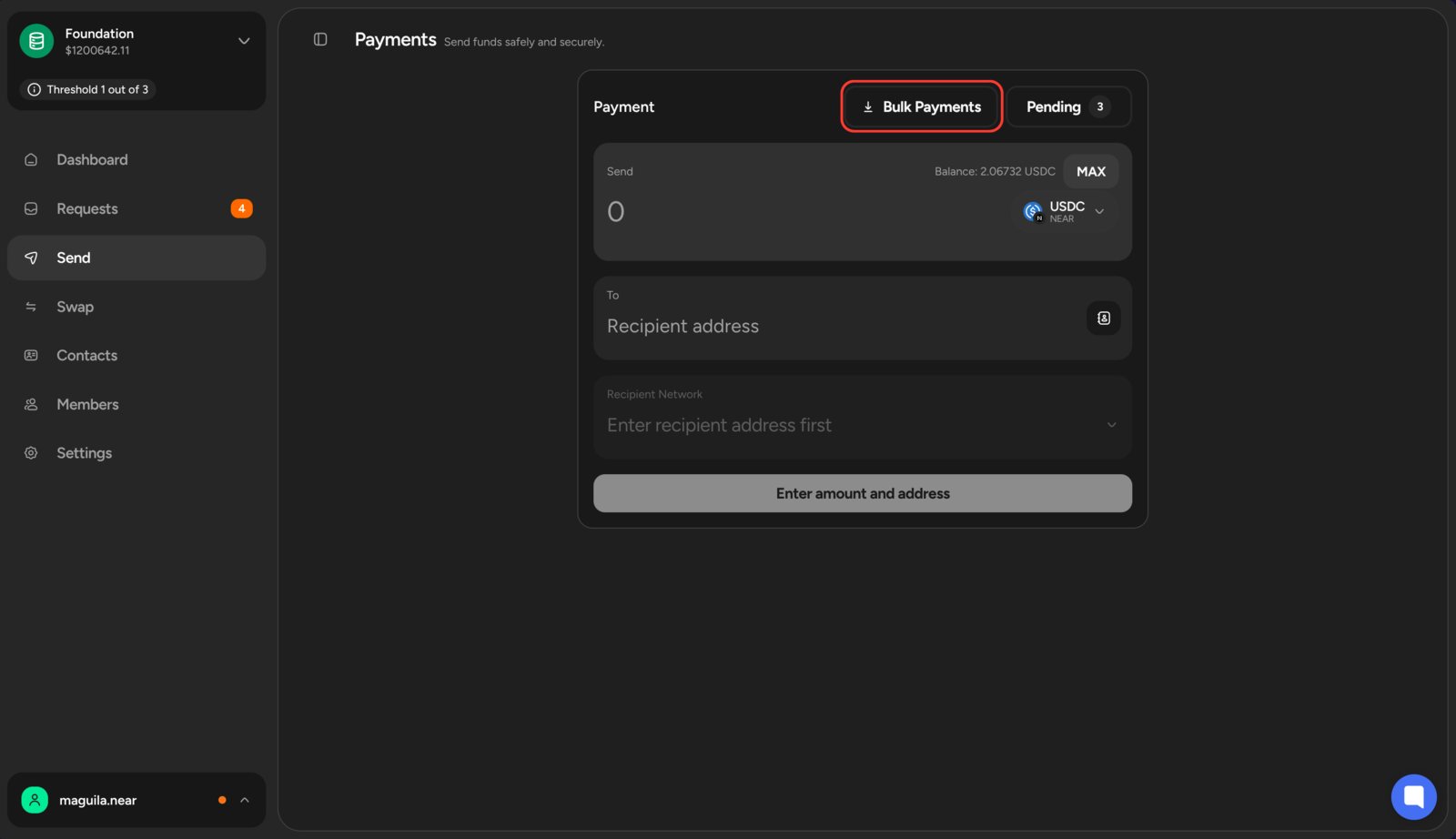
Navigate to the Payments section in the left sidebar, then click Bulk Payments. Bulk payment button Specify which token you want to use—all recipients will be paid in the same token. Then, manually enter the payment details for each recipient or upload a .csv file containing the information. Bulk payment request form
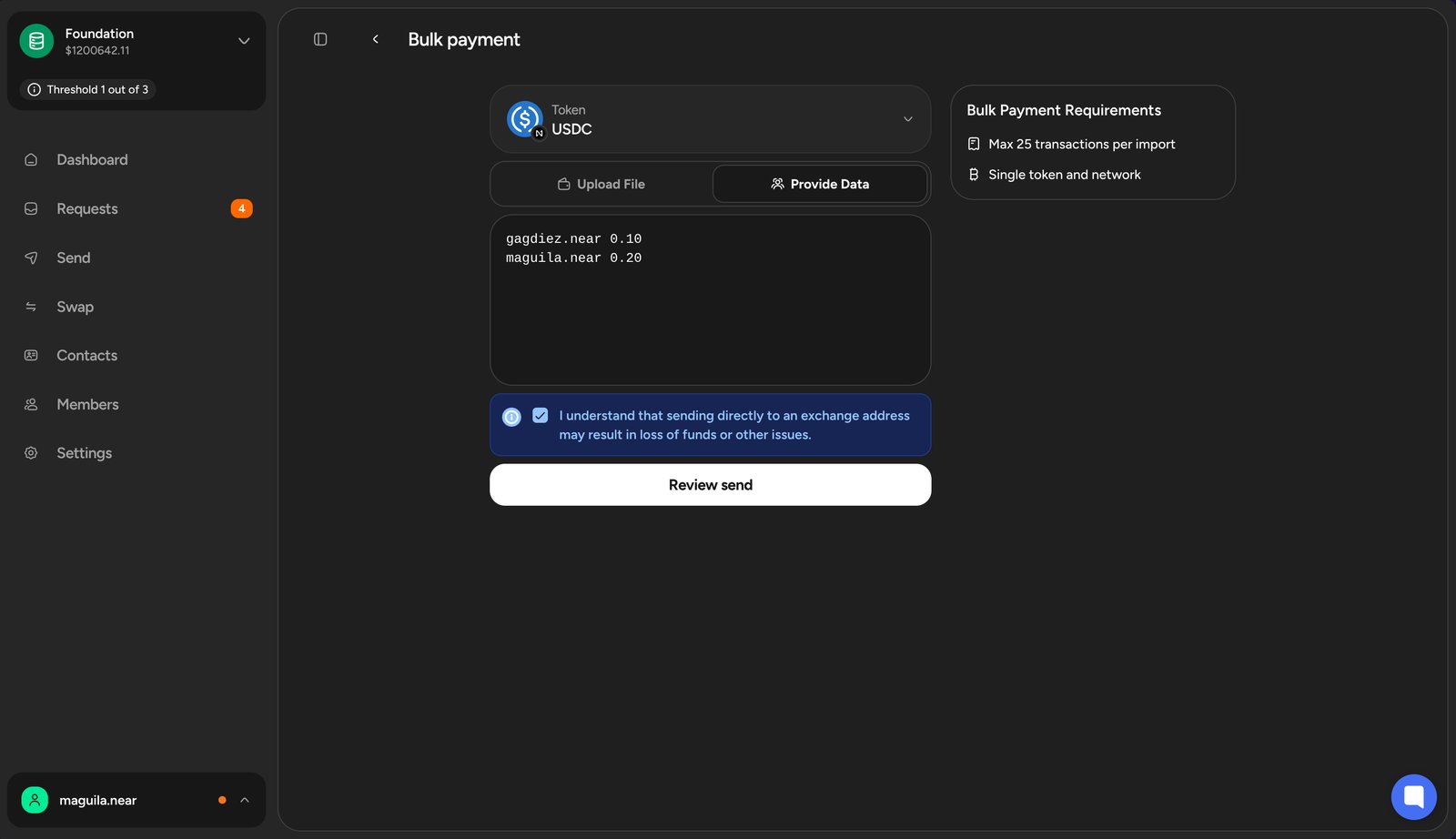
The expected format is a list of recipients with their wallet addresses and payment amounts. For example, to pay 10.50 USDC to alice.near and 21.34 USDC to bob.near, enter the following data in the Provide Data section:
Alternatively, download the template, fill in the payment details, and upload the file in the Upload File section.

Reviewing the Request

Review the bulk payment request before submitting it. You can add a comment to provide more context to the approvers. Bulk payment review
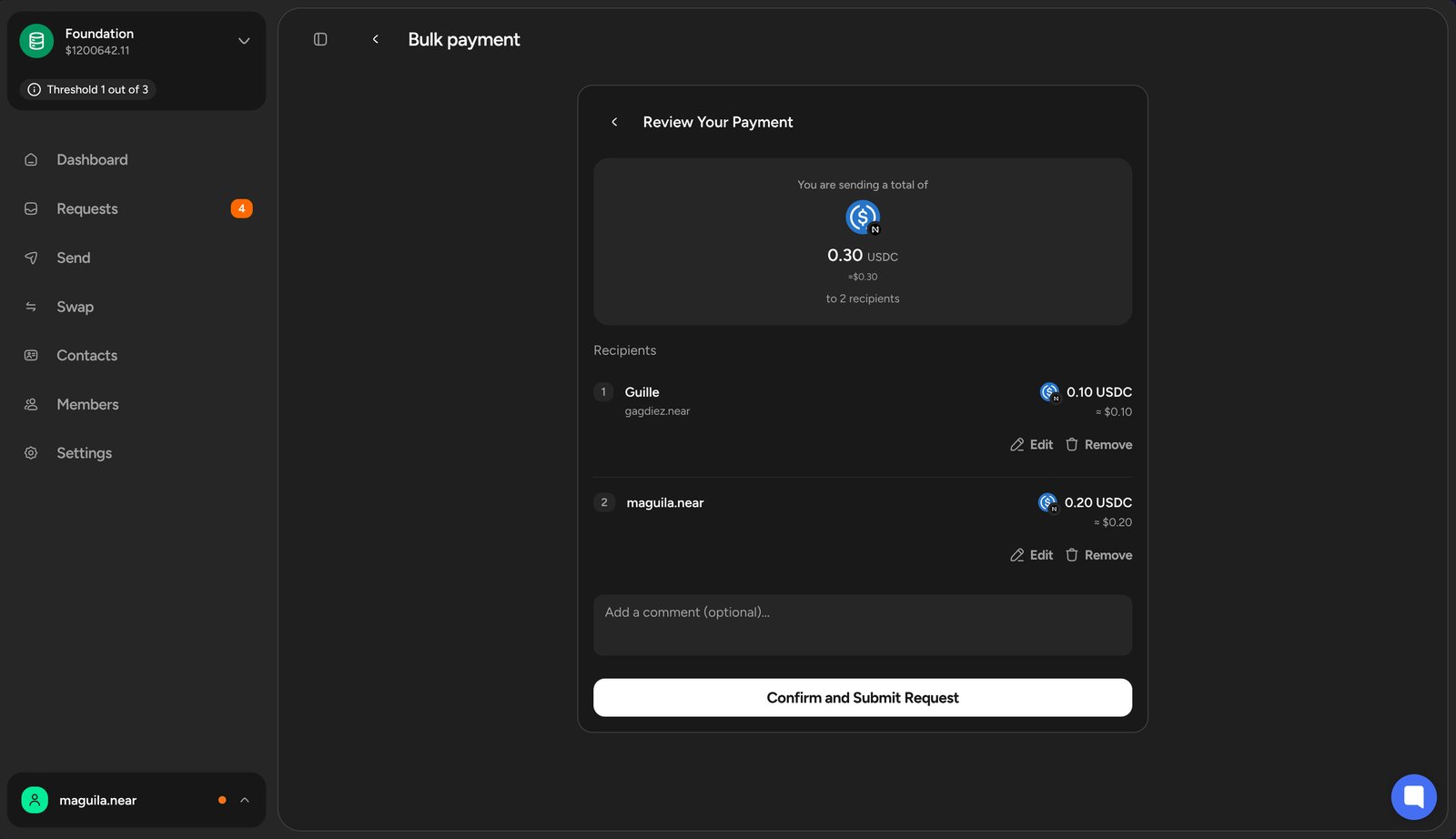
After the bulk payment is approved and executed, you can generate a receipt.
Verify the blockchain and wallet addresses before submitting the request, as payments are irreversible.

What’s Next?

After submitting the payment request, it will be ready for team members with the Finance role to review and vote on.
Head to Handling Payment Requests to learn how to review and vote on payment requests.