

Need to request multiple payments at once? Check the Proposing Multiple Payments section.
🔒 Private Payments
Treasuries can create payments to near.com accounts, or directly to public wallet addresses. Both types of payments are executed within the private shard, so they are inherently private. Payments sent to near.com accounts require the recipient to log in to near.com to access and withdraw the funds. In this case, the sender appears as the confidential treasury’s account on near.com. Payments sent directly to public wallet addresses redeem the corresponding tokens held by your treasury on the private shard and release the funds to the recipient on the selected chain. The recipient sees the funds come from thenear.com account on that chain. Learn more about how assets are held and transferred.
Requesting a Payment
Navigate to thePayments section in the left sidebar, then enter the required details: the recipient’s wallet address, the token and amount you want to send, and the recipient’s network.
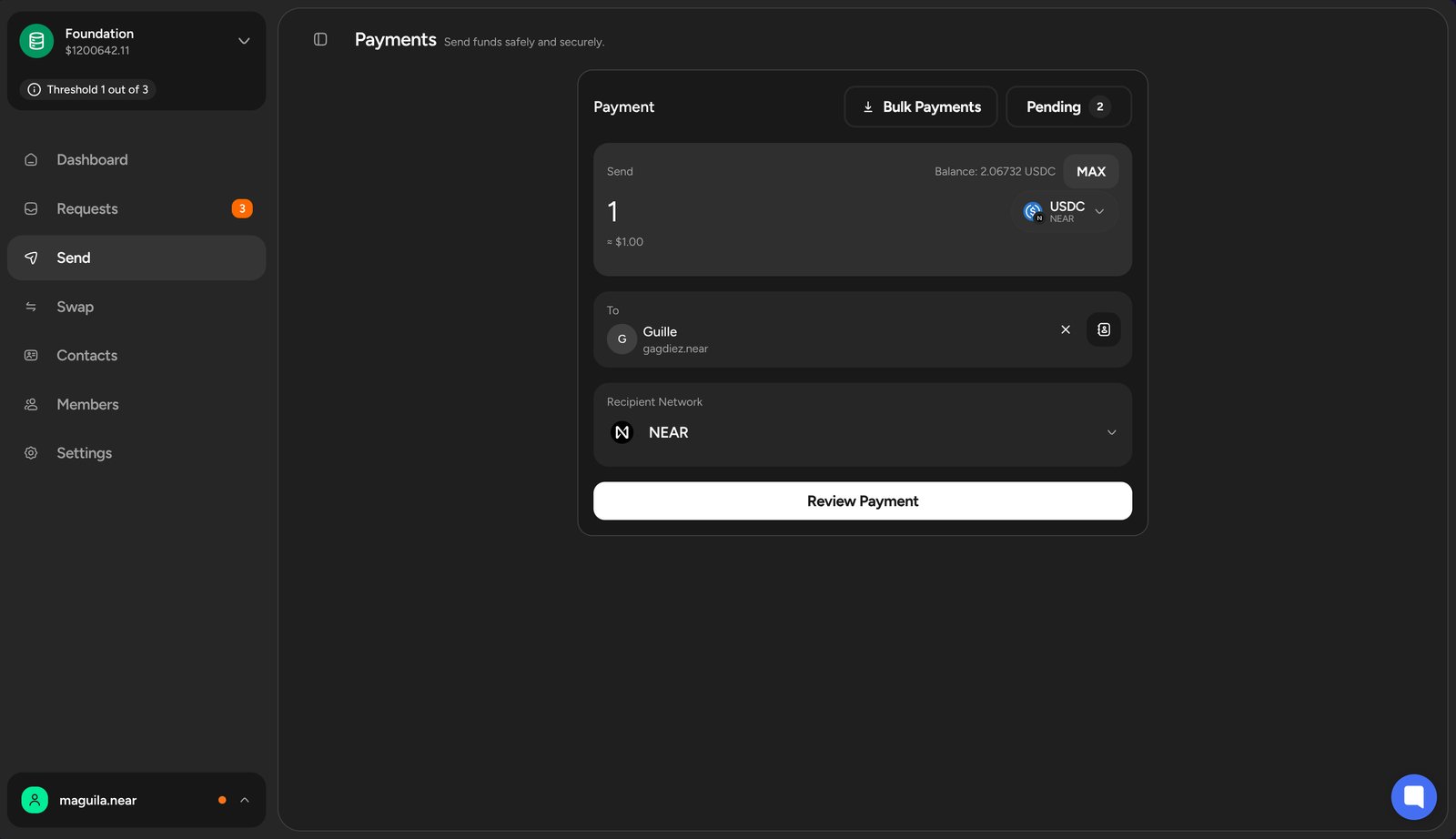
You can create a payment request even if the treasury does not have the necessary tokens. This allows you to request payments, and the team can top up the treasury with the required tokens later.
Use the Address Book to save frequently used wallet addresses and easily select them when creating payment requests.
Reviewing the Payment Request
After entering the payment details, review the request before submitting it. You can add a comment to provide more context to the approvers.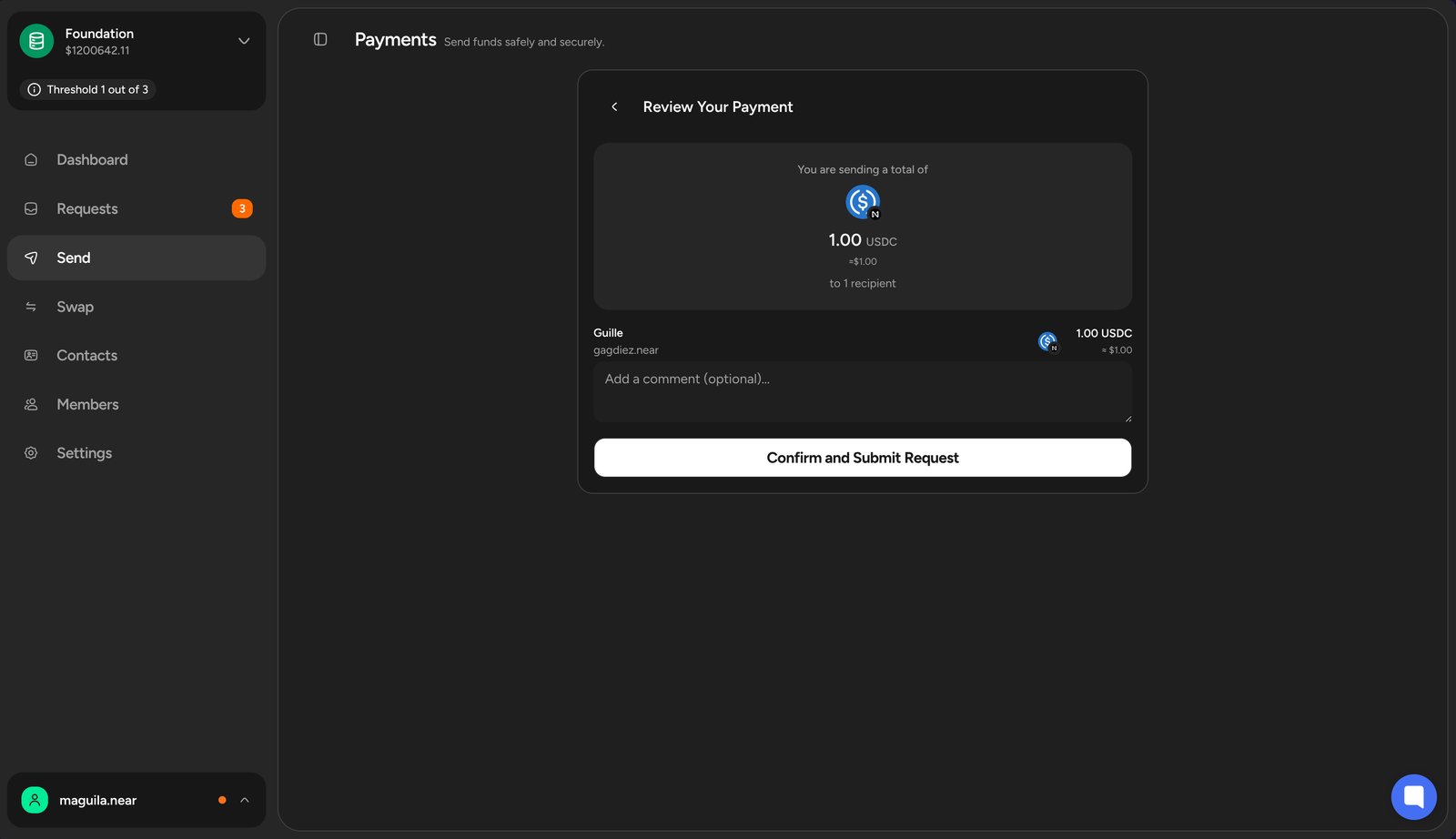
Address Book
The address book lets you save frequently used wallet addresses, making it easier to select the correct recipient when creating payment requests.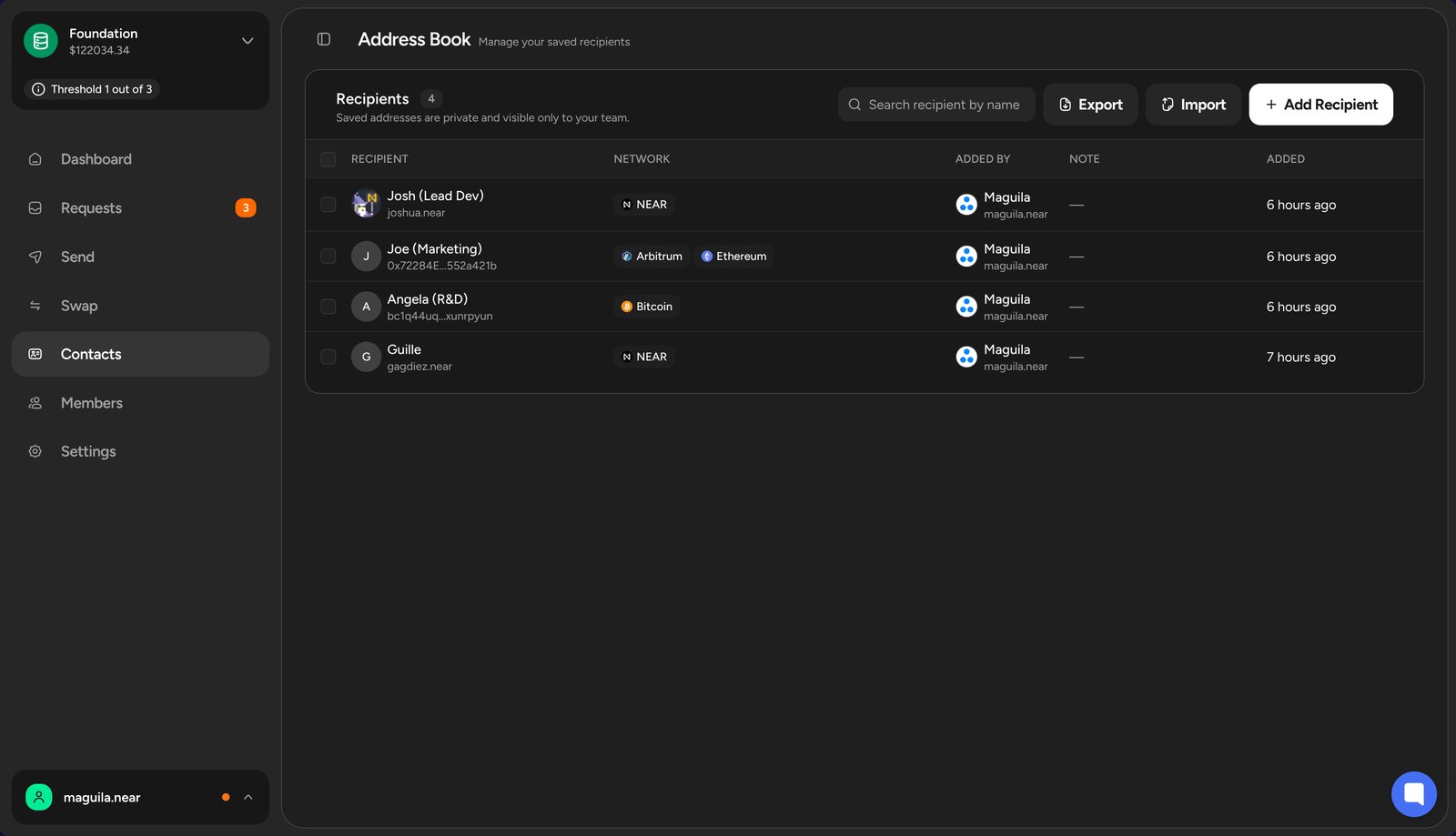
Address Book section in the left sidebar, then click Add Recipient to save a new wallet address.
Frequently Asked Questions
The following questions cover common issues when creating payment requests.Can I edit a payment request after submitting it?
Can I edit a payment request after submitting it?
No, once a payment request is submitted, it cannot be edited. If you need to make changes to a payment request, you will need to delete the existing request and create a new one with the correct details.
What if the recipient's wallet address is incorrect?
What if the recipient's wallet address is incorrect?
If the payment request is approved and executed with an incorrect wallet address, the funds will be sent to the wrong address and may be unrecoverable.Always double-check the wallet address before submitting the payment request to avoid any mistakes.
What’s Next?
After submitting the payment request, it will be ready for the Finance team members to review and vote on the request.Head to Handling Payment Requests to learn how to review and vote on payment requests.